
How to Use Binance Cryptocurrency Exchange: A Beginner's Step-by-Step Guide
Binance is currently the world’s largest cryptocurrency exchange by trading volume, offering access to hundreds of digital assets, including Bitcoin, Ethereum, and numerous altcoins. For newcomers, understanding how to use the Binance platform can seem complex due to its extensive features. This guide breaks down the essential steps, from account creation to executing your first trade.
Step 1: Creating and Securing Your Account
To begin, visit the official Binance website (binance.com) and click "Register." You will need to provide a valid email address and create a strong password. After registration, you must complete the identity verification process (KYC) to unlock higher withdrawal limits and full platform functionality. This typically involves uploading a government-issued ID and a selfie. Immediately enable two-factor authentication (2FA) using Google Authenticator or a hardware key to protect your account from unauthorized access.
Step 2: Depositing Funds
Once your account is verified, you need to add funds. Binance supports two primary methods:
1. Crypto Deposit: Navigate to "Wallet" → "Fiat and Spot." Click "Deposit" and select the cryptocurrency you wish to transfer. Copy the deposit address or scan the QR code from your external wallet or another exchange. Ensure the network (e.g., BEP-20, ERC-20) matches your sending platform to avoid losing funds.
2. Fiat Deposit: Select "Buy Crypto" to purchase digital currency directly using a credit/debit card, bank transfer, or P2P trading. Availability depends on your country.
Step 3: Navigating the Trading Interface
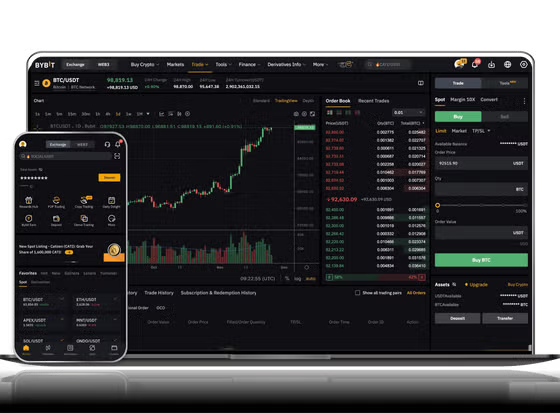
Binance offers several trading options. The most common is the "Spot" market. When you open a trading pair (e.g., BTC/USDT), you will see a price chart, an order book, and a trading panel. The "Limit" order lets you set a specific price at which to buy or sell. The "Market" order executes immediately at the current best available price. Beginners should start with Market orders for speed or use Limit orders to avoid paying more than intended during volatile price swings.
Step 4: Making Your First Trade
To buy, select the "Buy" tab. Choose your order type. For a Market buy, enter the amount of quote currency (e.g., USDT) or the quantity of base currency (e.g., BTC). Review the estimated fees (typically 0.1% per trade) and click "Buy BTC." The asset will appear in your Spot Wallet instantly. To sell, repeat the process using the "Sell" tab.
Step 5: Advanced Features and Risk Management
Beyond spot trading, Binance offers futures, margin trading, staking, and earning products through "Earn." These carry higher risk. For long-term holdings, consider moving your assets to Binance’s "Simple Earn" for interest or to an external hardware wallet for security. Always start with small amounts to understand the platform's mechanics. Use the "Stop-Limit" order feature in the advanced trading view to automatically limit potential losses during market downturns.
Common Pitfalls to Avoid
• Sending funds to the wrong network address always results in permanent loss.
• Using excessive leverage in futures trading can lead to quick liquidation.
• Falling for phishing links: Only use the official Binance app or website.
• Ignoring withdrawal fees: Small transfers can be expensive due to network gas fees.
By following these steps—registration, deposit, cautious first trades, and using security features—you can effectively use the Binance cryptocurrency exchange. As the crypto market operates 24/7, always double-check your transaction details and consider using the platform's testnet if available to practice without risking real funds.


发表评论