
How to Trade on Binance Futures: A Step-by-Step Beginner's Guide to Leverage and Contract Trading

Binance Futures, also known as Binance Contract Exchange, is one of the most popular platforms for trading cryptocurrency derivatives. Whether you want to hedge your spot holdings or speculate on price movements with leverage, understanding how to operate this exchange is critical. This guide walks you through the core steps, from account setup to executing your first trade.
Step 1: Account Preparation and Security
Before you can trade, ensure your Binance account is fully verified (KYC Level 1 or 2). Navigate to the "Derivatives" menu on the top bar and select "USDⓈ-M Futures" or "COIN-M Futures". If this is your first time, you will be prompted to transfer funds from your Spot Wallet to your Futures Wallet. Go to "Wallet" > "Futures" and click "Transfer". A minimum of 10 USDT or equivalent is usually sufficient to test the waters. Always enable two-factor authentication (2FA) for security.
Step 2: Understanding the Interface
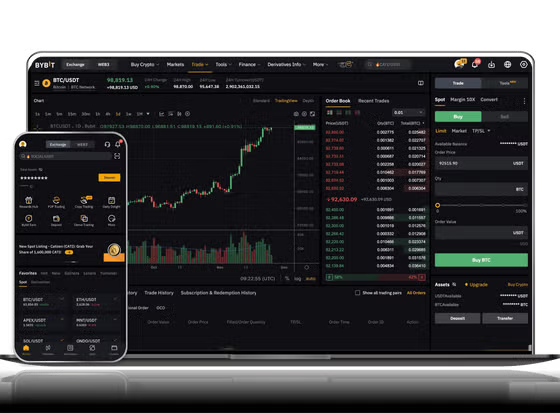
The Binance Futures interface consists of three key areas:
- The Chart Area (left): Use TradingView charts for technical analysis.
- The Order Book (right): Shows current buy and sell orders, plus recent trades.
- The Position and Order Panel (bottom): Here you set leverage, place orders, and manage your positions.
Familiarize yourself with the "Isolated" vs. "Cross" margin modes. For beginners, Isolated mode is safer as it limits your loss to a specific margin amount.
Step 3: Choosing a Contract and Leverage
Select your trading pair (e.g., BTCUSDT). Click the "Leverage" button (usually a 1x-125x slider). Warning: High leverage amplifies both profits and losses. As a beginner, start with 2x to 5x leverage. The platform uses a "Leverage" and "Margin" calculator to show you the liquidation price before you open a trade.
Step 4: Placing an Order
Binance Futures offers three main order types:
- Limit Order: Set a specific price you want to buy or sell at. It may not fill immediately if the market doesn't reach that price.
- Market Order: Executes instantly at the current best market price. This is the fastest way to enter a trade.
- Stop-Loss/Take-Profit: Use the "Stop Market" or "Limit" options in the TP/SL section to automate risk management. For example, you can set a stop-loss 2% below your entry price.
To open a long position (betting on a price increase), select "Buy/Long". To open a short position (betting on a price decrease), select "Sell/Short".
Step 5: Managing Your Position
Once your order fills, it appears in the "Positions" tab. Here you can:
- Close the position manually by clicking the "Close" button or using the market/limit sell function.
- Add or reduce margin to an isolated position to manage liquidation risk.
- Set a trailing stop to lock in profits as the price moves in your favor.
The "PNL" (Profit and Loss) column shows your unrealized gains or losses. Remember: futures trading does not expire like options, but your position will be liquidated if the market moves against you and your margin falls below the maintenance level.
Step 6: Exit and Withdrawal
When you close a position, the realized PNL is settled in your Futures Wallet. To withdraw funds back to your Spot Wallet, go to "Futures" > "Transfer" and move your USDT or coin. Always withdraw profits regularly to avoid overtrading.
Key Risk Tips for Binance Futures
- Never risk more than 1-2% of your capital on a single trade.
- Use the "Short and Long Positions" ratio indicator to gauge market sentiment.
- Be aware of funding rates (fees paid between long and short holders every 8 hours). High funding rates can eat into profits.
- Practice with the "Binance Futures Testnet" (demo account) before using real funds.
By following these steps, you can operate the Binance Contract Exchange like a professional. Remember: leverage is a double-edged sword. Master the basics of order types and risk management before scaling up your trading size.


发表评论