
How to Use Binance DEX: A Beginner's Guide to Decentralized Trading
Binance, one of the world’s largest cryptocurrency exchanges, also offers a decentralized exchange (DEX) known as the Binance DEX. Unlike its centralized counterpart, Binance DEX allows users to trade directly from their own wallets without depositing funds into an exchange wallet. This guide will explain how to use a Binance-based decentralized exchange and what key steps you need to follow.
First, it is important to understand that Binance DEX operates on the Binance Chain, a separate blockchain from the BNB Smart Chain (BSC). While Binance DEX is still functional, many users now migrate to decentralized trading on BSC via platforms like PancakeSwap, which use the same Binance ecosystem. However, the core principles are similar.
To use Binance DEX, you need a compatible wallet. The primary choice is the Trust Wallet, which is the official Binance wallet. You can also use Binance Chain Wallet. Once your wallet is installed, you must transfer funds from Binance’s centralized exchange (Binance.com) to your wallet. Ensure you send coins that exist on the native Binance Chain (BEP-2 format) or on the Binance Smart Chain (BEP-20 if you’re using a DEX on BSC). A common mistake is sending an ERC-20 token to a BEP-2 address, which can result in lost funds.
Next, access the decentralized exchange. For Binance DEX, the official website is binance.org. Connect your wallet by clicking the “Connect Wallet” button. It will ask for permission to access your wallet address and balances. This does not grant the exchange control over your funds; you retain private key ownership. Once connected, you can select a trading pair. For example, you might trade BNB for RUNE.
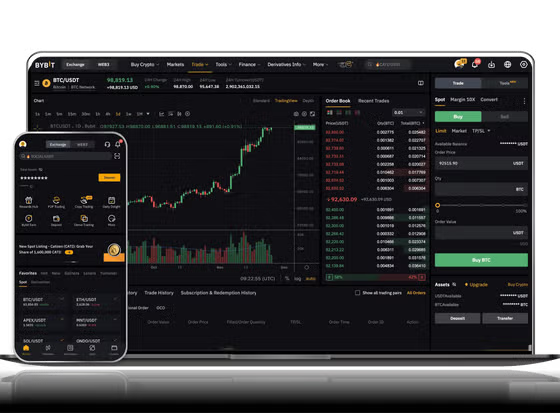
The trading interface looks similar to a centralized exchange. You can place a limit order (set a specific price) or a market order (buy/sell at the current market price). The key difference is that when you click “Swap” or “Place Order,” the transaction must be signed in your wallet and broadcast to the Binance Chain. You will pay a small network fee in BNB. This fee is typically lower than Ethereum-based DEXs but can vary with network congestion.
If you are using a Binance Smart Chain DEX like PancakeSwap, the process is slightly modified. You still connect a wallet such as MetaMask (configured for BSC) or Trust Wallet. Instead of limit orders, these DEXs use Automated Market Maker (AMM) mechanics. You choose two tokens, enter the amount you want to swap, and confirm the swap. The platform calculates the price based on a liquidity pool. You must also have a small amount of BNB in your wallet to pay the gas fee for the transaction.
Security is a critical factor. Because you are trading peer-to-peer without an intermediary, you are responsible for your private keys. Never share your seed phrase or private key. Always double-check the token contract address of the token you are trading, as fake tokens can exist on DEXs. Furthermore, the Binance DEX does not offer the same “security deposit” insurance that Binance.com offers. If you send funds to the wrong address or interact with a malicious contract, there is no customer support to recover your assets.
In summary, using a Binance decentralized exchange involves three core steps: set up a non-custodial wallet, transfer compatible tokens like BNB (BEP-2 or BEP-20), and connect to the DEX interface to swap tokens. The main advantages are full control over your funds and lower fees. The main risks are user error and lack of account recovery. Whether you use the original Binance DEX or a BSC-based DEX, understanding these mechanics is essential for safe decentralized trading.


发表评论