
Understanding Binance and CZ: A Beginner's Guide to Using the Crypto Exchange

In the world of cryptocurrency, few names are as influential as Changpeng Zhao, better known as CZ, and the exchange he founded, Binance. For newcomers, the platform can seem complex, but understanding its core functions is the first step to navigating the crypto market. This guide provides a clear, step-by-step overview of how to use Binance, from registration to making your first trade.
First, what is Binance? It is one of the largest cryptocurrency exchanges in the world by trading volume, offering a wide array of services including spot trading, futures, staking, and an NFT marketplace. CZ, as its CEO (until recently), built the platform with a focus on speed, low fees, and a vast selection of digital assets. For users, this means access to hundreds of cryptocurrencies, from Bitcoin and Ethereum to emerging altcoins.
To begin using Binance, the first step is creating an account. Visit the official Binance website or download the app. You will need to provide an email address and set a strong password. After registration, you must complete identity verification (KYC - Know Your Customer). This typically involves uploading a government-issued ID (like a passport or driver’s license) and a facial scan. While this step may feel tedious, it is mandatory for increasing your withdrawal limits and complying with global regulations.
Once your account is verified, you need to fund it. Navigate to the "Wallet" section and click "Deposit." Here, you can deposit fiat currency (such as USD, EUR, or GBP) via bank transfer or credit card, or you can deposit cryptocurrency from another wallet. If you are a beginner, depositing a small amount of fiat currency first is the safest approach. For instance, you can select "Buy Crypto" and use a debit card to purchase Bitcoin directly.
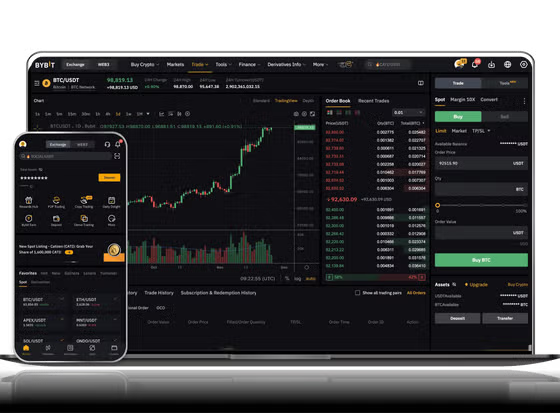
Now for the core action: trading. The most common method is "Spot Trading." Go to the "Trade" section and select "Classic" or "Advanced." You will see a pair, like BTC/USDT. This means you are trading Bitcoin against USDT (a stablecoin pegged to the US dollar). The left side of the screen shows the order book (buy and sell orders), and the middle shows the price chart. The simple way to trade is by using the "Market" order: this buys or sells instantly at the current market price. Alternatively, you can set a "Limit" order, where you specify the price you want to buy or sell at, and the order will execute only when the market reaches that price.
Security is a critical detail when using Binance. Even though the platform has robust security systems, you must enable all available protections. This includes setting up Two-Factor Authentication (2FA) using an app like Google Authenticator, not SMS. Also, consider enabling the "Whitelist" feature for withdrawal addresses, ensuring that funds can only be sent to addresses you have pre-approved. Avoid keep all your funds on the exchange; for long-term storage, transfer assets to a personal hardware wallet like Ledger or Trezor.
Controversy has surrounded both Binance and CZ, with legal challenges and regulatory scrutiny in various countries. This has occasionally affected user services, such as withdrawal suspensions in specific regions. Therefore, before using the platform, always check the latest news regarding Binance’s status in your country. Some jurisdictions restrict access to the global Binance.com and redirect users to a separate platform like Binance.US, which offers a limited set of coins.
In conclusion, using Binance effectively comes down to three steps: secure your account, deposit funds wisely, and start with simple market orders. As a beginner, it is advisable to use the "Practice Trading" feature first (using virtual funds) to understand how orders work without risking real money. While CZ’s leadership has shaped Binance into a giant, remember that the crypto landscape is volatile and regulatory landscape is shifting. Always do your own research before committing significant capital.


发表评论